
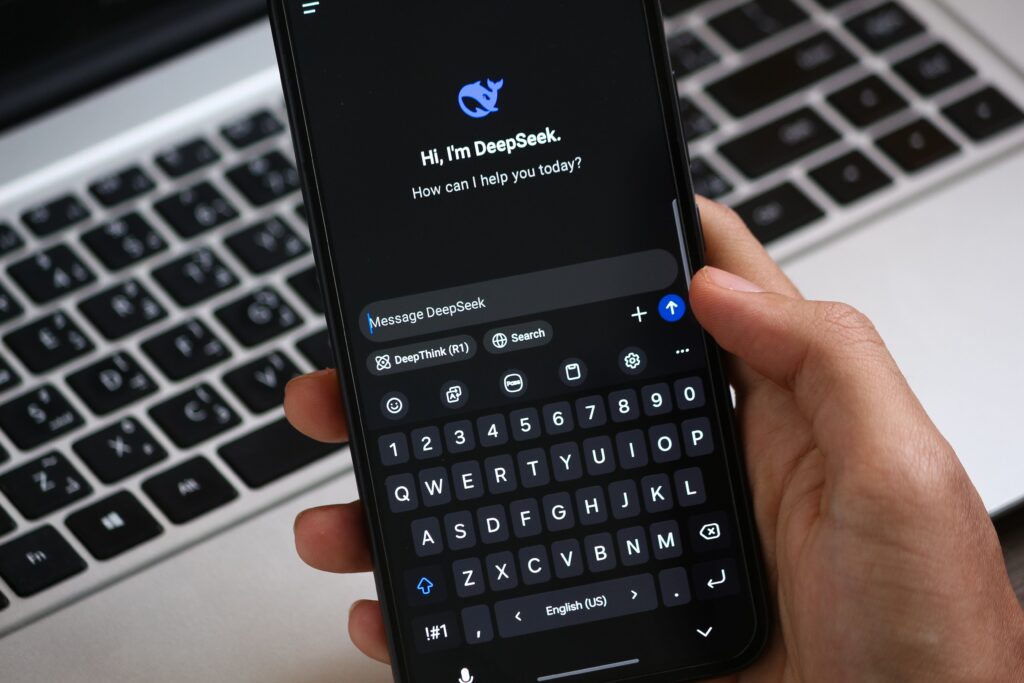
Relying solely on a general chatbot for every step of your creative process is like using a multi-tool to build a house. It works in a pinch, but specialized jobs demand purpose-built instruments. While conversational bots introduced millions of people to automated drafting, reliance on generic chat windows often leads to predictable phrasing, flat tone, and tedious copy-pasting across tabs.
The creative landscape in 2026 requires speed, precision, and multi-modal execution. Modern content creation demands specialized AI assistants that integrate directly into video timelines, editorial databases, and publishing pipelines. Instead of generating raw text from scratch, the best platforms act as specialized co-pilots. They understand brand guidelines, automate video clipping, maintain contextual memory, and streamline research.
This guide reviews the top five AI assistants for content creators today. You will discover specialized tools for long-form writing, video editing, social repurposing, and workspace organization, helping you build a faster, higher-quality creative stack.
Table of Contents
- The Evolution of Creator Workflows Beyond General Chatbots
- Quick Comparison Table of Top Creator AI Assistants
- Top 5 AI Assistants for Content Creators Reviewed
- Key Features to Look For in a Creator Assistant
- Expert Tips for Building a Modern AI Creator Stack
- Common Mistakes to Avoid
- Frequently Asked Questions
- Conclusion
The Evolution of Creator Workflows Beyond General Chatbots
Early AI adoption centered around raw text generation. Creators typed simple prompts and received generic paragraphs that required extensive manual editing. Today, content creators face saturated feeds and audiences that quickly spot formulaic text.
Modern AI assistants focus on context awareness and workflow integration. Rather than operating in isolated chat screens, modern assistants reside where creative work happens:
Generic Chatbot Flow:     Prompt ➔ Raw Text Output ➔ Manual Editing ➔ Manual Copy/Paste ➔ Formatting
Specialized Creator Flow:  Raw Asset ➔ Integrated Assistant ➔ Contextual Edit / Clip ➔ One-Click Export
In 2026, specialized platforms excel by providing four distinct structural capabilities:
- Contextual Depth: Analyzing long PDFs, transcripts, and research books without losing track of nuanced arguments.
- Brand Voice Alignment: Learning corporate style guides, banned vocabulary, and audience personas.
- Direct Media Manipulation: Editing video tracks directly via transcript text or extracting key highlights automatically.
- Workspace Organization: Connecting research notes, content calendars, and drafting canvases into a unified system.
Quick Comparison Table of Top Creator AI Assistants
The table below summarizes how the top five specialized assistants stack up across primary creation mediums, core strengths, and starting prices:
| Platform | Primary Specialty | Key Media Focus | Technical Learning Curve | Starting Price |
| Claude | Long-form writing & deep research | Text, code, document analysis | Low | Free tier / $20/mo |
| Jasper | Multi-channel marketing & brand copy | Short-form text, ads, email | Low | ~$39/mo |
| Descript | Text-based audio & video editing | Audio podcasts, video essays | Medium | Free tier / $12/mo |
| Opus Clip | Short-form video clipping & framing | Long video to Reels/Shorts/TikTok | Very Low | Free tier / $9.50/mo |
| Notion AI | Editorial planning & workspace drafting | Notes, calendars, project docs | Low | Free tier / $8/mo add-on |
Note: Feature specifications and subscription plans update regularly. Verify active plan details on each provider’s official portal.
Top 5 AI Assistants for Content Creators Reviewed
1. Claude by Anthropic
Overview
Claude stands out as a top-tier writing and analytical assistant for creators who craft long-form articles, essays, and deep research reports. Developed by Anthropic, its large context window and advanced reasoning capabilities allow it to process extensive background files while maintaining a natural, human-sounding editorial voice.
Key Features
- Generates fluid long-form drafts with strong narrative continuity.
- Processes long research documents, transcripts, and entire eBooks in a single prompt.
- Artifacts interface allows side-by-side editing of text, code, and structured outlines.
- Adapts to subtle tone preferences without relying on repetitive adjectives.
Advantages
- Produces prose that sounds far more conversational and less formulaic than general chatbots.
- Excels at synthesizing dense research into clear, structured summaries.
- Handles complex structural editing across long documents effortlessly.
Limitations
- Lacks native image or video generation tools.
- Does not offer automated direct scheduling to social media channels.
Best For
Essayists, newsletter publishers, technical writers, and journalists who produce deep, research-backed content.
Free or Paid?
Freemium model. Includes free standard access, with Pro plans starting at $20 per month for higher usage limits.
👉 Current pricing: https://claude.com/pricing
Official Website
claude.ai
Expert Verdict
Claude remains the top recommendation for long-form editorial projects. Its capacity for nuanced reasoning and human-sounding prose makes it indispensable for writers who value editorial quality over raw output volume.
2. Jasper
Overview
Jasper is a dedicated marketing assistant built specifically for content teams, digital agencies, and enterprise brands. Unlike broad conversational tools, Jasper focuses on multi-channel consistency, using a brand memory engine to ensure every email, blog post, and ad campaign aligns with precise company guidelines.
Key Features
- Brand Voice engine trains on your style guides, website links, and brand rules.
- Multi-channel campaign generator creates blog posts, emails, and social assets simultaneously.
- Integrated SEO mode powered by real-time keyword analysis tools.
- Team collaboration workspaces with granular approval permissions.
Advantages
- Maintains strict visual and verbal style guidelines across large marketing teams.
- Speeds up short-form copy production for product launches and promotional campaigns.
- Includes pre-built templates for specialized formats like ad headlines and email subject lines.
Limitations
- Higher starting price point compared to individual AI subscriptions.
- Requires initial onboarding time to upload brand assets and train tone profiles effectively.
Best For
Marketing directors, content marketing managers, and growth teams running multi-channel digital campaigns.
Free or Paid?
Free or Paid?
Paid software with a free trial. Pro subscriptions start at $59 per month (billed annually) or $69/month (billed monthly) per user.
👉 Current pricing: https://www.jasper.ai/pricing
Official Website
jasper.ai
Expert Verdict
Jasper offers exceptional value for structured marketing teams. Its ability to enforce brand guidelines across every output makes it a powerful asset for multi-channel campaigns.
3. Descript
Overview
Descript transforms audio and video editing by turning media timelines into editable text documents. Creators edit spoken audio and video tracks simply by cutting, pasting, or deleting text in a generated transcript. Its suite of AI tools automatically removes filler words, enhances studio sound, and clones voiceovers.
Key Features
- Transcript-based media editing allows instant cuts directly through text selection.
- Underlord AI assistant generates chapter markers, show notes, and video summaries automatically.
- One-click filler word removal eliminates “ums,” “ahs,” and awkward pauses across multi-track recordings.
- Studio Sound enhancement restores low-quality microphone audio to broadcast standards.
Advantages
- Drastically reduces technical editing time for podcasters and video creators.
- Eliminates the steep learning curve associated with traditional timeline video editors.
- Allows custom voice cloning to fix mispronounced words without re-recording.
Limitations
- Requires a stable internet connection for fast transcription processing.
- Complex visual effects still require dedicated color-grading or motion-graphics software.
Best For
Podcasters, video essayists, webinar hosts, and course creators seeking fast media post-production.
Free or Paid?
Free or Paid?
Freemium tier available. Paid plans start at $12 per month, unlocking higher transcription quotas.
👉 Current pricing: https://www.descript.com/pricing
Official Website
descript.com
Expert Verdict
Descript fundamentally simplifies media editing. If your content strategy involves speaking on camera or recording podcasts, this tool saves hours of manual timeline slicing.
4. Opus Clip
Overview
Short-form vertical video dominates social distribution across TikTok, YouTube Shorts, and Instagram Reels. Opus Clip addresses this demand by analyzing long-form videos—such as podcasts, interviews, or keynotes—and automatically extracting viral-ready short clips complete with dynamic captions and layout reframing.
Key Features
- Virality Score curation ranks extracted video clips based on hook strength and narrative flow.
- Auto-framing tracks speaker movement to keep faces centered in vertical 9:16 aspect ratios.
- Animated auto-captions add styled text overlays, highlight keywords, and insert emojis.
- B-roll generation inserts contextually relevant visual overlays on top of talking-head footage.
Advantages
- Turns a single one-hour podcast into a dozen polished short clips within minutes.
- Automates tedious subtitle timing and visual framing adjustments.
- Allows custom template customization to match brand colors and fonts.
Limitations
- Requires manual review to ensure selected clips preserve complete context.
- Custom motion graphics options remain basic compared to manual desktop editors.
Best For
YouTubers, streamers, podcasters, and agency teams scaling short-form social video distribution.
Free or Paid?
Free or Paid?
Free starter tier with watermarked credits. Paid plans begin at $15 per month (Starter), with Pro at $29 per month.
👉 Current pricing: https://www.opus.pro/pricing
Official Website
opus.pro
Expert Verdict
Opus Clip offers unmatched efficiency for video repurposing. It transforms the tedious task of hunting for social highlights into an automated, single-click process.
5. Notion AI
Overview
Notion AI embeds intelligent writing, research, and organizational features directly inside Notion workspaces. Instead of jumping between an external chatbot and a separate notes app, creators can generate ideas, summarize research notes, edit drafts, and build content calendars in one connected workspace.
Key Features
- Q&A assistant searches across your entire database of notes, PDFs, and meeting records.
- In-line text editing expands bullet points, fixes grammar, and changes writing tone.
- Automated database properties fill in tags, summaries, and action items across content pipelines.
- Brainstorming templates build editorial calendars and video outline scaffolds in seconds.
Advantages
- Keeps research, outlines, drafts, and publication schedules connected in one hub.
- Eliminates context switching across multiple browser tabs and web subscriptions.
- Extracts insights across years of accumulated personal research notes.
Limitations
- Requires an organized Notion workspace setup to maximize utility.
- Writing outputs can feel plain without custom, detailed prompt instructions.
Best For
Solopreneurs, newsletter writers, project managers, and digital creators who manage their workflow in Notion.
Free or Paid?
Free or Paid?
Available as an $8 per member per month add-on for paid Notion users (or $10 per month for free plans).
👉 Current pricing: https://www.notion.so/pricing
Official Website
notion.so
Expert Verdict
Notion AI excels as an operational assistant. It connects personal knowledge bases with drafting tools, helping creators organize projects from initial idea to published asset.
Key Features to Look For in a Creator Assistant
Evaluating new production tools requires looking past hype. Focus on these core criteria to select software that genuinely speeds up production:
- Native Workflow Integration: The platform should fit directly into your existing software stack, whether through browser extensions, cloud syncing, or direct video timeline integrations.
- Context Window and Memory: Look for tools capable of digesting long reference files, past articles, or full transcripts without dropping early details.
- Granular Output Control: Prioritize tools that allow manual inline edits, visual sliders, or adjustable parameters rather than rigid, take-it-or-leave-it output generation.
- Data Security and Ownership: Verify that the platform grants full commercial rights over generated assets and explicitly protects your proprietary upload data from training public models.
Expert Tips for Building a Modern AI Creator Stack
Scaling a creative business requires combining specialized software tools thoughtfully:
1. Construct a Modular Production Pipeline:
Avoid searching for one single tool to solve every task. Build a modular pipeline instead: use Notion AI for ideation, Claude for drafting deep research, Descript for audio editing, and Opus Clip for social distribution.
- Establish a Central Knowledge Base: Upload brand guides, past top-performing articles, and core value propositions to your AI assistants upfront. Providing rich context beats typing long prompts repeatedly.
- Maintain Human Editorial Quality Control: Use automation to generate initial wireframes, structural outlines, or video cuts. Always apply human judgment, personal stories, and factual verification before publishing.
- Batch Media Processing: Record long-form video or audio sessions once, then pass the recordings through automated transcription and clipping tools to generate a week of multi-platform media in a single afternoon.
Common Mistakes to Avoid
Prevent simple workflow pitfalls that dilute creative quality:
- Publishing Raw First Drafts: Publishing unedited text directly from an automated tool leaves passive sentence structures and generic phrasing. Always rewrite intros and conclusions in your own voice.
- Ignoring Platform Context: Generating a single piece of copy and posting it unchanged across LinkedIn, X, and Instagram ignores the distinct audience expectations of each platform. Tailor tone and formatting for every channel.
- Over-Automating Personal Branding: Relying on automation for every audience interaction, newsletter introduction, or video voiceover weakens authentic connection. Keep personal reflections human-written.
- Failing to Verify Facts: Language models occasionally cite outdated sources or misinterpret complex statistical data. Always double-check facts, quotes, and technical specifications before publishing.
Frequently Asked Questions
Why should creators look beyond ChatGPT in 2026?
General chatbots require extensive copy-pasting, complex prompt management, and lack native integration with video, audio, and workspace databases. Specialized assistants embed directly into timelines and document workspaces, dramatically speeding up production.
Can specialized AI tools edit video content automatically?
Yes. Platforms like Descript allow editing video by cutting text in a transcript, while tools like Opus Clip analyze long videos to extract, frame, and subtitle vertical short clips automatically for social media.
Are AI-assisted content tools suitable for SEO writing?
Yes, provided they are paired with human research and editorial oversight. Google prioritizes original insight, factual accuracy, and helpful experience regardless of how drafts are generated.
What is the most versatile AI tool for long-form writing?
Claude is widely considered the top choice for long-form writing due to its large context window, strong reasoning capabilities, and ability to generate fluid, natural-sounding prose.
How do brand voice memory features work in marketing tools?
Tools like Jasper analyze your uploaded style guides, past blog posts, and website text. They build custom tone profiles that instruct the underlying generation engines to mirror your exact vocabulary, brand guidelines, and formatting style.
Is it expensive to build a complete AI creation stack?
Not necessarily. Most specialized platforms offer free starter tiers or low-cost monthly tiers ranging from $8 to $20. A comprehensive multi-tool stack can cost under $50 per month, replacing dozens of hours of manual editing work.
Conclusion
The goal of modern content creation is not to generate endless generic output—it is to eliminate technical admin work so you can spend more time on high-level strategy and storytelling. Broad chatbots provided an early glimpse of automation, but purpose-built assistants drive real production speed today.
- For research synthesis and long-form writing: Choose Claude.
- For multi-channel marketing campaigns and brand alignment: Select Jasper.
- For text-based podcast and video editing: Deploy Descript.
- For automated short-form social video extraction: Use Opus Clip.
- For unified content planning and database notes: Pick Notion AI.
Evaluate your current bottleneck, pick the specialized assistant built to solve that exact challenge, and elevate your creative production workflow today.